

- Source video
- Replacement image
- Illustrated result
01
A clear two-input workflow
Add one source video and one replacement image in their labelled upload slots.
Loading AI tools
Essential cookies keep your account secure. Optional analytics and marketing cookies stay off until you choose.
Loading AI tool
Loading Replace Character
Skip to Replace CharacterA DIFFERENT CHARACTER FOR THE SAME SCENE
Pair a source video with a replacement image to explore a new character in the scene.
Review settings and credits before you start.

A DIFFERENT CHARACTER FOR THE SAME SCENE
Pair a source video with a replacement image to explore a new character in the scene.
Review settings and credits before you start.
YOUR IDEA, MADE VISIBLE
Replace a video's main character using one source clip and one replacement image. The video guides the scene and performance; your image guides appearance. No text prompt is needed.
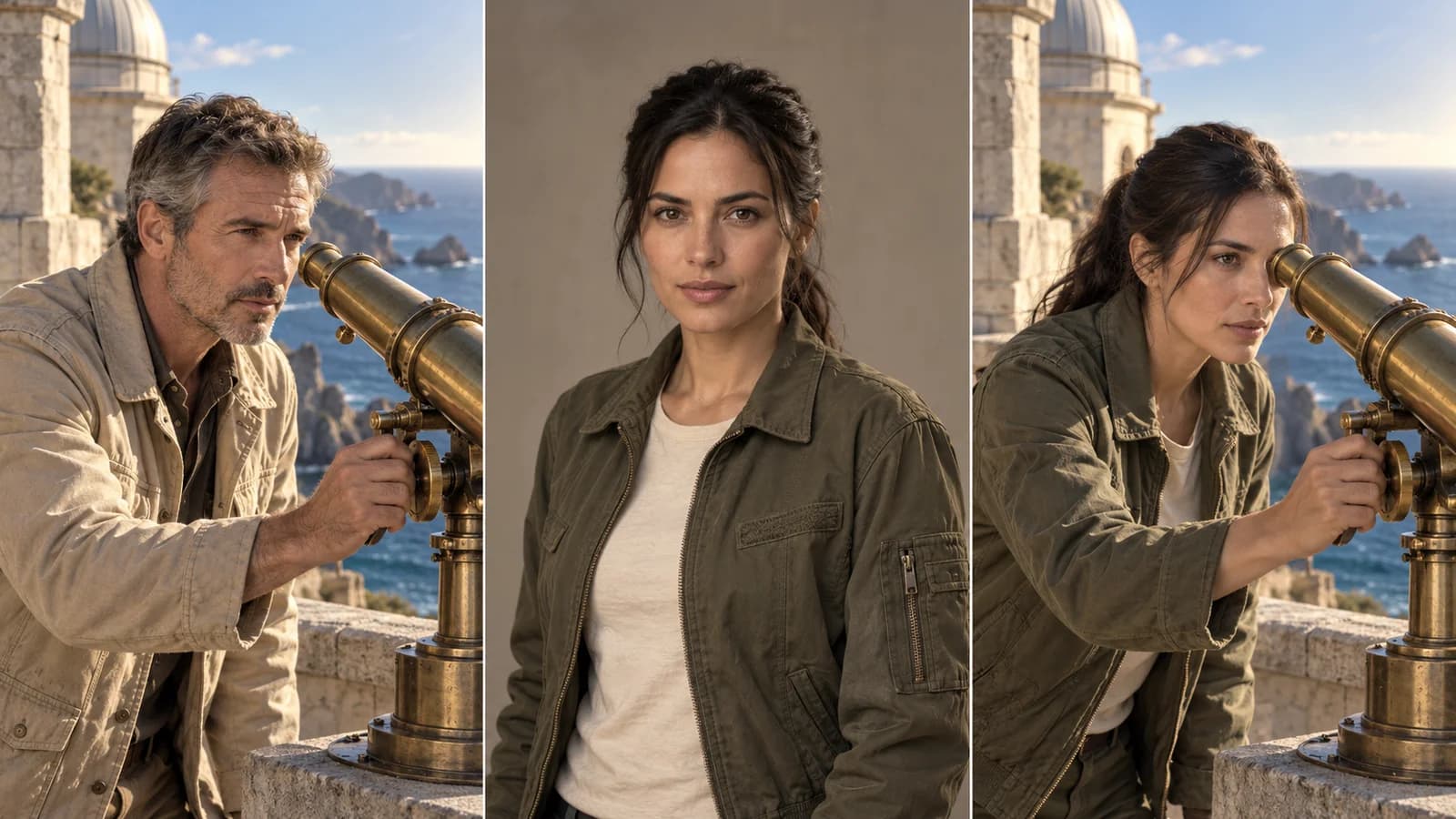
The source video guides the scene and performance. Your replacement portrait guides appearance. Review both in the generated video.
Original illustration; not a verified tool result.MORE INTENTION. LESS FRICTION.
Add one source video and one replacement image in their labelled upload slots.

Use a dedicated character-replacement model with file requirements shown in Create.
Check the replacement character in motion, close-ups and changing angles before downloading.
Choose a compatible clip with the main character you want to replace and permission to use the footage.
Add a suitable image you are authorized to use, then check the current model and credit estimate.
Generate the video and inspect appearance, movement and background details before downloading.
MAKE IT PART OF YOUR PROCESS
Explore how an authorized replacement character could appear in an existing scene.
Develop alternative casting concepts with permitted source footage and replacement imagery.
Review a different lead within the movement and environment of a source clip.
CHOOSE YOUR CREATIVE ENGINE
Choose from the current public catalog. Available inputs and output settings depend on the model.
YOUR IDEAS. ROOM TO CREATE.
Compare credits, storage and capacity. Choose your Insvee plan.
Loading current plans and regional pricing…
Replace Character credits vary by workflow and settings; check your estimate in Create. Plan output figures are approximate across tools, subject to credits and access requirements.
Full pricing detailsCREATOR VOICES
Illustrative reviews with fictional names, shown as sample content. These are not verified customer testimonials.
REPLACE CHARACTER FAQ
Open Replace Character, add one compatible source video and one replacement image, then review the available model and credit estimate. Submit the generation and inspect the completed video.
Replace Character uses the source video and replacement image without an editable prompt. If your goal needs a broader written scene change, explore Video Edit.
Replace Character introduces a replacement character using an image reference. It can affect appearance beyond the face, so review the generated face, body, clothing and movement together.
Replace Character accepts one replacement image and focuses on the video's main character. The current form does not offer separate replacements for several people in the same clip.
Supported formats, file sizes, dimensions and video durations are defined by the selected model. Create validates the uploads against those current rules. Use footage and likenesses you have permission to upload and transform.
The corridor artwork is a labelled workflow illustration showing a source character, replacement portrait and imagined recast scene. It is not a verified character-replacement job or a guarantee of identity preservation.
YOUR IDEA. YOUR NEXT MOVE.
Start with Replace Character. Make something that feels like you.
Replace a character